Generate and View the Project Processing Report
Dashboard > Project drop-down > Generate Processing Report
If you have the needed Audit Access permissions you can generate a detailed Processing Report for your Project by selecting this action from the Project drop-down on the Project Dashboard. Once this report is generated, you can download it from the associated Work Basket task.
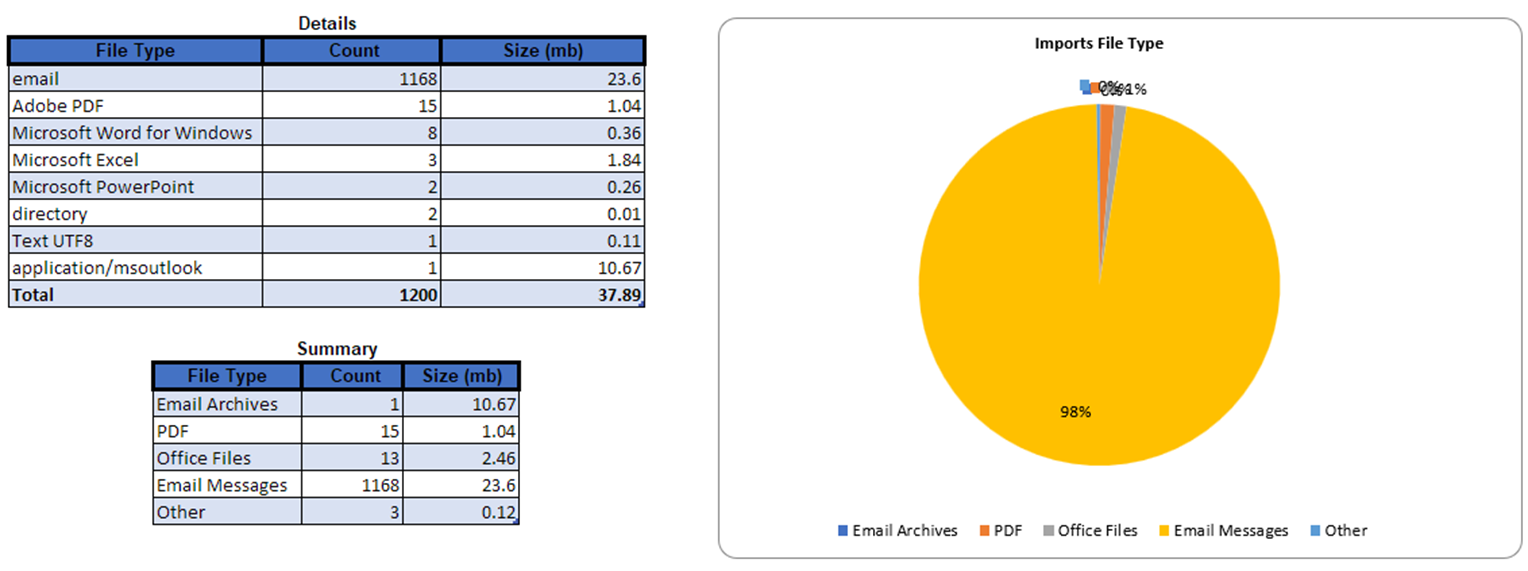
The tabs are as follows:
-
File Type (Imports)
-
File Type (Project Data)
-
Document Extension (Imports)
-
Document Extension (Project Data)
-
Year/month (Project Data)
-
Year (Project Data)
-
Date (Project Data)
-
Custodian by year/month (Project Data)
-
Custodian by DocClass (Imports)
-
Custodian by DocClass (Project Data)
-
Exceptions (Imports)
-
Exclusions (Imports)
-
DeDuped by DocClass (Project Data)
-
Languages (Imports)
-
Languages (Project Data)